
Laptop Maintenance Tips
Laptops are essential tools for work, study, and entertainment, but without proper care, they can slow down or break down over time. Following simple laptop maintenance tips can help extend its lifespan, improve performance, and prevent costly repairs. Here are our top tips for keeping your laptop in top condition.
1. Keep Your Laptop Clean
Dust, crumbs, and dirt can accumulate over time, clogging vents and fans, which leads to overheating. Clean your laptop regularly:
Use a soft, lint-free cloth for the screen.
Use compressed air to remove dust from the keyboard and vents.
Avoid eating or drinking near your laptop to prevent spills.
Regular cleaning helps prevent overheating and hardware damage.
2. Manage Your Storage
Full or cluttered storage can slow your laptop down. Regularly:
Delete unnecessary files and apps.
Empty your recycle bin.
Use cloud storage solutions like OneDrive or Dropbox. for important files.
Keeping your storage organised ensures faster performance and reduces the risk of system errors.
3. Keep Your Software Up to Date
Updating your operating system, drivers, and applications is crucial:
Enables security patches to protect against malware and viruses.
Improves performance and compatibility with new applications.
Fixes bugs and glitches that could affect your laptop.
Set your system to automatically check for updates to stay protected.
4. Protect Against Viruses and Malware
Cyber threats can damage your laptop or compromise sensitive data. Ensure your laptop has:
Trusted antivirus software installed, such as Windows Defender or third-party options.
Regular scans scheduled to detect potential threats.
Awareness when downloading files or opening emails from unknown sources.
Regular protection prevents costly repairs caused by virus damage.
5. Avoid Overheating
Overheating can severely damage internal components. To prevent it:
Use your laptop on hard, flat surfaces to allow airflow.
Avoid using it on beds or sofas for long periods.
Consider a cooling pad if you use your laptop for gaming or heavy work.
Proper ventilation prolongs the life of your laptop’s processor and battery.
6. Take Care of the Battery
Laptop batteries degrade over time if not treated properly. Maximise battery life by:
Avoiding full discharges charge when it drops to 20–30%.
Keeping the laptop cool while charging.
Removing the charger once fully charged if you’re using it long-term.
A well-maintained battery reduces the need for early replacements.
7. Backup Your Data Regularly
Even with careful maintenance, accidents can happen. Protect your files by:
Using external hard drives or USBs.
Scheduling automatic backups for peace of mind.
Data backup ensures you never lose important documents, photos, or work projects.
8. Schedule Professional Maintenance
Sometimes, professional help is the best way to extend your laptop’s life. Laptop repair services, like those from Cyber United, can:
Check for hidden hardware issues.
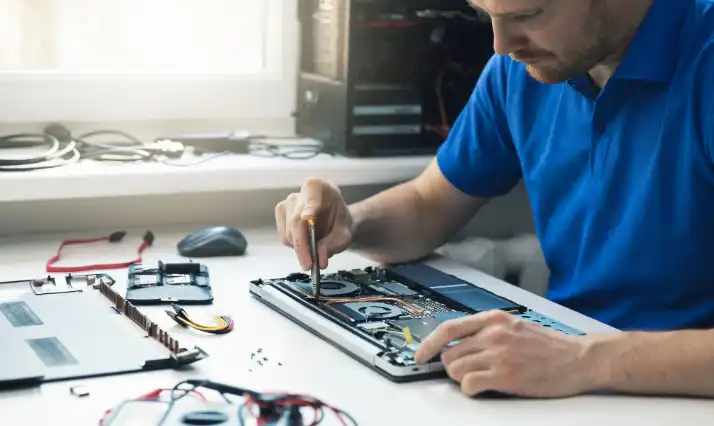
Clean internal components safely.
Perform upgrades such as extra RAM or faster storage.
Regular professional check-ups prevent small issues from becoming costly repairs.
Conclusion
Maintaining your laptop does not have to be complicated. By following these simple laptop maintenance tips, including keeping it clean, protecting it from malware, managing storage, and arranging professional maintenance, you can extend your device’s lifespan and enjoy smooth performance.
Even small, regular actions based on these laptop maintenance tips can prevent costly repairs and ensure your laptop remains reliable for work, study, or entertainment.
If your laptop is already showing signs of trouble, contact Cyber United for expert laptop repair. Our
Call us or Whatsapp us now at 02076617774 or fill out our contact form below to get a free estimate.