
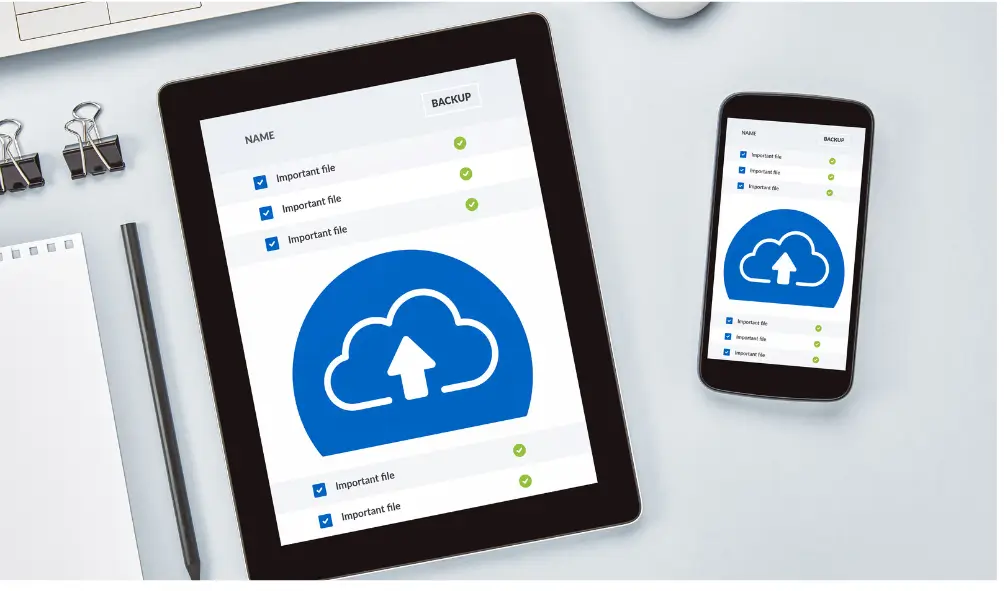
As businesses increasingly move to cloud-based solutions, Microsoft 365 has emerged as the cornerstone of many organisations. With tools like Outlook, SharePoint, and OneDrive, it streamlines communication and collaboration. However, many organisations mistakenly believe that all their data within Microsoft 365 is automatically backed up. While Microsoft provides high availability and redundancy, it doesn’t offer a comprehensive backup solution that ensures full data protection. This is where Microsoft 365 backup becomes essential, ensuring your data is safeguarded and your business can continue running smoothly.
Why Backing Up Microsoft 365 is Critical
Relying on Microsoft alone for data protection is a risk. Microsoft operates under a shared responsibility model, which means they secure the infrastructure, but you are responsible for your data. Here’s why having a Microsoft 365 backup solution is crucial:
1. Accidental Deletion
Employees may accidentally delete files or emails. If these items aren’t backed up properly, recovering them after Microsoft’s recycle bin purges them can be difficult or impossible. A robust backup solution eliminates the risk of permanent data loss.
2. Gaps in Retention Policies
Microsoft offers built-in retention policies, but they aren’t comprehensive. Once the default retention period is over, your data might be irretrievable. Learn more about Microsoft’s retention policies here. With a third-party backup solution, your data is safe no matter when it was created or modified.
3. Internal and External Threats
Whether it’s a disgruntled employee deleting important documents or a ransomware attack, your data is vulnerable to various threats. A Microsoft 365 backup ensures you can restore your information quickly in the event of data loss, safeguarding your business against downtime.
4. Regulatory Compliance
Regulations like the GDPR and the Data Protection Act impose strict rules on data retention. Failing to comply can result in hefty fines. Backing up your data helps you meet legal requirements and avoid non-compliance risks. You can read more about these regulatory frameworks on the UK’s Information Commissioner’s Office website.
5. Ensuring Business Continuity
Cyberattacks, natural disasters, or simple data corruption can all put your business at risk. Having a reliable backup of your Microsoft 365 environment ensures that, even in a worst-case scenario, you can quickly restore your systems and maintain business continuity.
What Microsoft’s Built-In Protections Cover
Microsoft offers several protection features, but understanding their limitations is crucial:
- Data Replication: Microsoft replicates data across multiple data centres, ensuring availability in case of hardware failure.
- Service Uptime: A 99.9% uptime guarantee for Microsoft services.
- Recycle Bin: Deleted items are moved to the recycle bin, but after 30 days, they are permanently deleted. Explore Microsoft’s data retention specifics.
- Geo-Redundancy: In case of a data centre failure, your data is mirrored to another location.
While these features ensure availability, they don’t provide full protection from human errors or external threats. That’s where an additional Microsoft 365 backup solution becomes invaluable.
Why You Need a Dedicated Microsoft 365 Backup Solution
1. Complete Data Control
A dedicated Microsoft 365 backup solution gives you complete control over your data, including how long it’s retained and how frequently backups occur. It allows you to store backups securely and recover them quickly when needed. With third-party backup options, you also get granular recovery capabilities, so you can restore individual files rather than entire backups.
2. Faster Recovery Times
If you lose data, recovery speed is essential. Microsoft’s recovery process can be slow and may involve complex support processes. An external backup solution offers faster recovery, reducing downtime and allowing your business to get back on track quickly.
3. Protection Against Data Loss
While Microsoft ensures the reliability of its platform, it doesn’t protect against human error or cyberattacks. An additional Microsoft 365 backup allows you to recover data from specific points in time, reducing the risk of significant data loss.
4. Meeting Compliance Requirements
Ensuring your business meets regulations like the GDPR or industry-specific rules can be challenging. Having an external backup solution for your Microsoft 365 data ensures compliance with data retention policies. Learn more about UK data protection regulations.
What to Look for in a Microsoft 365 Backup Solution
When selecting a Microsoft 365 backup solution, look for the following features:
1. Automated Backup Scheduling
Choose a solution that allows for automatic, regular backups. Whether daily or multiple times a day, automation ensures that backups are reliable and consistent, eliminating human error.
2. Granular Recovery Options
The ability to restore specific files or folders, rather than entire backups, is crucial. This ensures you can quickly access what you need without restoring unnecessary data.
3. Data Encryption
Your backup solution should offer encryption both in transit and at rest to ensure your data is secure. This is particularly important for meeting regulatory requirements around data protection. Read more about data encryption in Microsoft 365.
4. Scalability
As your organisation grows, so will your data. Ensure your backup solution is scalable, allowing you to increase storage capacity as your needs evolve.
5. User-Friendly Interface
Choose a solution with an intuitive dashboard that makes managing backups straightforward, so you can focus on your business rather than complex IT processes.
Which Microsoft 365 Backup Solution is Right for You?
Some of the leading solutions for backing up Microsoft 365 include:
- Veeam Backup for Microsoft 365: This solution offers robust features like data encryption and multiple storage options. Learn more about Veeam’s solution here.
- Acronis Cyber Protect: Combines backup with cyber protection, giving you an all-in-one solution. Explore Acronis Cyber Protect.
- Barracuda Cloud-to-Cloud Backup: Provides simple and scalable cloud-to-cloud backup for Microsoft 365 data. Discover Barracuda’s offerings.
At Cyber United Solutions, we recommend evaluating each solution carefully to find the one that best fits your organisation’s needs. Contact us to discuss your specific requirements and get expert advice on the best Microsoft 365 backup solution for your business.
Protect Your Data from Internal and External Threats
While a Microsoft 365 backup protects your data from accidental loss or retention policy gaps, it’s also important to protect against internal and external threats. Cyber United Solutions offers comprehensive cybersecurity services to help safeguard your organisation against these threats. Learn more about our cybersecurity solutions.
The Bigger Picture: Beyond Microsoft 365 Backup
Backing up Microsoft 365 data is a crucial part of a wider data protection strategy. However, don’t forget about other critical aspects, such as on-premise servers or other cloud applications. A holistic approach to backup and disaster recovery will ensure your business is protected from all angles.
At Cyber United Solutions, we offer a range of IT services designed to support your business’s growth while keeping your data safe. Explore our full range of IT services here.
Final Thoughts on Microsoft 365 Backup
Ensuring you have a Microsoft 365 backup strategy in place is crucial for protecting your business from data loss, cyberattacks, and regulatory non-compliance. By taking control of your data and implementing the right backup solution, you can guarantee business continuity and avoid the costly consequences of data breaches or accidental deletions.
At Cyber United Solutions, we’re committed to helping businesses secure their Microsoft 365 environments. Get in touch to learn more about how we can support your data protection needs.